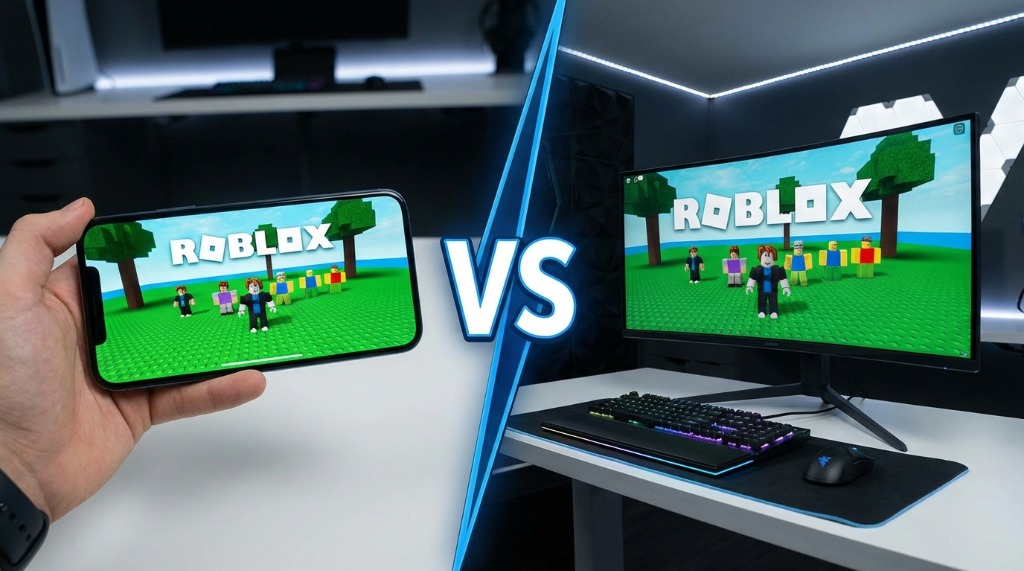
Should you play Break a Lucky Block on your phone or your computer? It’s a common question, and the answer isn’t as simple as “PC is better.” Both platforms have advantages and disadvantages, and the best choice depends on your situation.
I’ve played extensively on both mobile and PC, and I can give you an honest comparison to help you decide—or maybe you’ll end up using both for different purposes like I do.
Quick Comparison
For those who want the summary:
| Factor | Mobile | PC | Winner |
|---|---|---|---|
| Convenience | ⭐⭐⭐⭐⭐ | ⭐⭐ | Mobile |
| Performance | ⭐⭐⭐ | ⭐⭐⭐⭐⭐ | PC |
| Controls | ⭐⭐⭐ | ⭐⭐⭐⭐⭐ | PC |
| AFK Farming | ⭐⭐⭐⭐ | ⭐⭐⭐⭐⭐ | PC |
| Screen Size | ⭐⭐⭐ | ⭐⭐⭐⭐⭐ | PC |
| Portability | ⭐⭐⭐⭐⭐ | ⭐ | Mobile |
| Battery/Power | ⭐⭐ | ⭐⭐⭐⭐⭐ | PC |
Overall verdict: PC is technically better, but mobile is more accessible. Many players use both.
Playing on Mobile
Advantages
1. Play Anywhere
The biggest advantage of mobile: you can play literally anywhere.
- On the bus or train
- During lunch breaks
- Waiting in line
- In bed before sleep
- Away from home
This accessibility means more total playtime opportunities.
2. Touch Controls Are Natural for This Game
Break a Lucky Block is essentially a tapping game—you break blocks by clicking. On mobile, this feels natural:
- Tap blocks to break them
- Swipe to move around
- Intuitive for the game type
3. Quick Sessions
Mobile is perfect for short play sessions:
- Pull out phone, play for 10 minutes
- No waiting for PC to boot
- Always ready to go
4. Dedicated AFK Device
Many players use an old phone/tablet specifically for AFK farming:
- Doesn’t tie up your main device
- Can run overnight
- Cheap dedicated option
Disadvantages
1. Performance Issues
Most mobile devices struggle compared to gaming PCs:
- Lower frame rates
- More lag during busy servers
- Potential overheating during long sessions
- Limited graphics settings
2. Battery Drain
Gaming eats battery:
- Roblox is demanding
- Maybe 2-3 hours of active play before dead
- Requires charging for longer sessions
- Heat can damage battery over time
3. Screen Size
Small screens mean:
- Harder to see details
- Smaller tap targets
- Eye strain over long sessions
- Difficulty with precise movements
4. Data Usage
Playing on mobile data:
- Uses your data plan
- Can be expensive without WiFi
- Less stable than wired connection
- Higher ping possible
5. Notifications and Interruptions
Your phone wants to do other things:
- Calls interrupt gameplay
- Notifications distract
- Other apps competing for resources
Playing on PC
Advantages
1. Best Performance
Even a budget PC typically outperforms mobile:
- Smooth frame rates
- Lower lag
- Better handling of busy servers
- Full graphics options
2. Superior Controls
Mouse and keyboard are objectively more precise:
- Faster, more accurate clicking
- Easier camera control
- Keyboard shortcuts (if available)
- Ergonomic for long sessions
3. Screen Size
Play on a monitor or even TV:
- See everything clearly
- Multiple windows possible
- Less eye strain
- Better peripheral awareness
4. Ideal for AFK Farming
PCs excel at AFK:
- Leave running 24/7 if desired
- No battery concerns
- Stable internet (Ethernet)
- Can run in background
5. Multitasking
While playing:
- Watch videos on another screen
- Chat with friends
- Research guides
- Listen to music without interruption
Disadvantages
1. Tied to One Location
Can only play at home (or wherever your PC is):
- No portable gaming
- Miss gaming opportunities
- Requires dedicated gaming time
2. Setup Required
Need a computer setup:
- Desk and chair
- Monitor
- Power usage
- Space requirements
3. Higher Cost
PCs cost more than phones:
- Budget gaming PC: $500+
- Good gaming PC: $1000+
- Phones you already have
4. Not Always Convenient
Sometimes you can’t/don’t want to be at your desk:
- Too hot/cold
- Others using the computer
- Just want to relax in bed
- Away from home
Performance Comparison (Detailed)
Frame Rate
| Device Type | Expected FPS |
|---|---|
| Budget Phone | 15-30 (unstable) |
| Mid-Range Phone | 30-45 |
| High-End Phone | 45-60 |
| Budget PC | 30-60 (stable) |
| Gaming PC | 60+ (stable) |
Higher FPS means smoother gameplay and faster clicking.
Load Times
| Device Type | Typical Load Time |
|---|---|
| Budget Phone | 45-90 seconds |
| Mid-Range Phone | 30-60 seconds |
| High-End Phone | 20-40 seconds |
| Budget PC | 15-30 seconds |
| Gaming PC (SSD) | 5-15 seconds |
Faster loads mean less time waiting, more time playing.
Heat Management
| Device Type | Heat Issues |
|---|---|
| Mobile | Common, can throttle |
| Tablet | Better than phones |
| Laptop | Can be an issue |
| Desktop PC | Rarely a problem |
Heat affects performance and device longevity.
Controls Comparison
Breaking Blocks
| Platform | Method | Speed | Comfort |
|---|---|---|---|
| Mobile | Tap screen | Medium | Good for short sessions |
| PC (Mouse) | Click | Fast | Best for long sessions |
| PC (Trackpad) | Click | Slow | Not recommended |
Navigation
| Platform | Method | Precision |
|---|---|---|
| Mobile | Virtual joystick | Medium |
| PC (WASD + Mouse) | Keyboard + mouse | High |
Camera Control
| Platform | Method | Quality |
|---|---|---|
| Mobile | Touch + drag | Serviceable |
| PC (Mouse) | Mouse movement | Excellent |
AFK Farming: Mobile vs PC
For AFK farming specifically:
Mobile AFK
Pros:
- Dedicated cheap device possible
- Doesn’t use your main device
- Portable (farm anywhere with WiFi)
Cons:
- Battery concerns
- Overheating risk
- Screen burn-in possible (OLED)
- Less stable connection
Best mobile for AFK:
- Old Android tablet
- Keep plugged in
- Lowest brightness
- Away from heat sources
PC AFK
Pros:
- Runs indefinitely
- Stable Ethernet connection
- No power concerns
- Background operation
Cons:
- Power usage
- Can’t use for other things (unless multi-display)
- Stationary
Best PC setup for AFK:
- Minimize game or run on second monitor
- Lower resolution/graphics
- Disable sleep mode
- Stable internet
Verdict: PC is better for AFK if you have one available. Mobile works as a dedicated AFK device.
Cost Comparison
What does each option cost?
Mobile
Using existing phone: Free Budget phone for gaming: $100-200 Dedicated tablet for AFK: $50-150 (refurbished)
PC
Budget gaming PC: $400-600 Mid-range PC: $700-1000 High-end gaming PC: $1500+ Using existing PC: Free (if capable)
Verdict: If you already have a capable device, use it. Building/buying specifically for this game probably isn’t necessary.
Recommended Setup by Situation
“I only have a phone”
Recommendation: Play on mobile
- Perfectly viable
- Optimize graphics settings
- Use WiFi when possible
- Consider tablet upgrade later
“I have both phone and PC”
Recommendation: Use both
- PC for active farming sessions
- Mobile for quick sessions away from desk
- PC for AFK overnight
- Get the best of both worlds
“I want to AFK farm but my PC is shared”
Recommendation: Get a cheap tablet
- Old iPad or Android tablet
- Doesn’t interrupt others
- Can run overnight
- Low cost investment
“I’m a serious player optimizing everything”
Recommendation: PC primary + mobile backup
- PC for all serious farming
- Mobile for login streaks when away
- Multiple devices for multi-accounting (if allowed)
Platform-Specific Tips
Mobile Optimization
- Close all background apps
- Set graphics to lowest
- Use WiFi over mobile data
- Remove phone case to reduce heat
- Don’t charge while playing for too long (battery health)
- Enable “stay awake while charging” for AFK
PC Optimization
- Use Ethernet over WiFi
- Close unnecessary browser tabs/apps
- Update graphics drivers
- Disable Windows sleep for AFK
- Consider second monitor for background gaming
- Low graphics settings if not needed
Switching Between Platforms
Progress syncs through your Roblox account, so you can seamlessly switch:
- Log into same Roblox account on both devices
- Play on one device, switch to the other anytime
- All progress carries over
- Can’t play same account simultaneously (will kick one off)
Common Questions
“Can I play on console (Xbox)?”
Some Roblox games work on Xbox, but check if Break a Lucky Block specifically supports it. Controls would be different.
“Is iPad better than iPhone?”
Generally yes:
- Larger screen
- Better cooling
- Often more RAM
- More comfortable for long sessions
“Does my phone model matter?”
Yes. Better phones = better performance. But older phones can still run the game—just with lower settings.
“Will playing ruin my phone?”
Extended gaming does cause wear:
- Battery degradation over time
- Heat stress on components
For heavy gaming/AFK, a dedicated cheap device is recommended.
My Personal Recommendation
If you can only choose one: PC for serious play, mobile for casual play.
Ideal setup: PC at home for main sessions + mobile for quick login rewards and on-the-go play.
For AFK focus: Dedicated tablet or old phone that can run 24/7.
Both platforms work fine. Choose based on your situation, and remember—what matters most is actually playing, not playing on the “perfect” platform.
Related Guides
Last updated: February 2026